
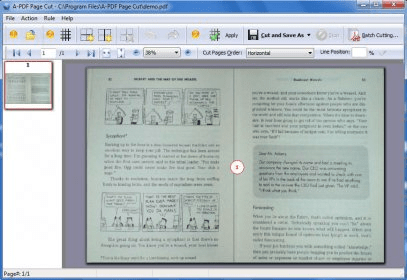
Place markers within your PDF documents pages and break them into smaller parts according to your requirements. The markers can be placed both horizontally and vertically.
A-PDF Page Cut is a simple tool that allows you to cut your PDF documents in several parts. You simply have to select the document you wish to divide and then select the number of parts in which you wish to divide the document. You can set a cut pattern for each page, or simply apply the same pattern to all the pages of the document. The program also includes a batch cut mode, which enables you to cut multiple documents at the same time. For this mode, you can either use a rule file (a file that specifies the cut pattern), or you can simply cut the documents vertically or horizontally in two. In this mode, you won't be able to adjust the rows and columns manually, unless you specify that in the rule file. The program also offers undo and redo options, in case you make a mistake, and, you can also import or export rules to and from other similar programs. The user interface is extremely simple and easy to use, so that it can be used by anyone without problems.
In short, A-PDF Page Cut is a simple but handy tool that can help you cut your PDF files in multiple parts very easily and fast.






Comments